Overview
In this lab I worked through a real-world scenario where Tomcat logs were being written to the wrong directory due to a typo in the logging configuration file. The goal was to find the misconfiguration, fix it, and verify that all log output was going to the correct location.
This kind of task matters because logs are a critical part of both security and auditing. If an automated tool is configured to collect logs from /usr/local/tomcat9/logs but logs are actually going somewhere else, those records are effectively invisible, which is a compliance problem.
Environment
| Detail | Value |
|---|---|
| OS | Red Hat Enterprise Linux 8 |
| Application Server | Apache Tomcat 9 |
| Tomcat Root | /usr/local/tomcat9/ |
| Expected Log Directory | /usr/local/tomcat9/logs |
| Tomcat GUI Port | 8080 |
| Private IP address | 10.0.1.100 |
| Public IP address | 107.20.117.181 |
Step 1 - Verify Access to the Tomcat GUI
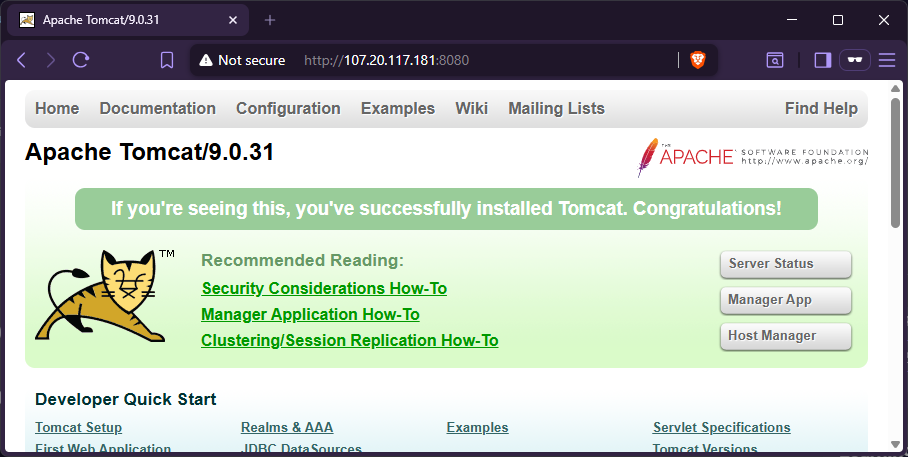
Before touching any configuration, I first confirmed the Tomcat instance was up and reachable via a browser by navigating to the server’s public IP on port 8080:
http://107.20.117.181:8080
Why: It’s good practice to confirm the baseline state of a service before making changes. If something is already broken at the network or service level, I want to know that upfront rather than discover it after editing files.
Expected output: The default Apache Tomcat welcome page loads in the browser.
Step 2 - Explore the Tomcat Installation Directory
I SSH’d into the server, escalated to root, and navigated to the Tomcat installation:
sudo su -
cd /usr/local/tomcat9/
ll
Why: Running a directory listing immediately gives a visual snapshot of the file structure. Anything unexpected stands out right away.
Example output:
[root@tomcat tomcat9]# ll
total 124
drwxr-x---. 2 tomcat tomcat  4096 Feb 26  2020 bin
drwx------. 3 tomcat tomcat   254 Apr 28 23:04 conf
drwxr-x---. 2 tomcat tomcat    69 Apr 28 23:05 logs
drwxr-x---. 2 tomcat tomcat   134 Apr 28 23:04 loogs   <-- suspicious!
drwxr-x---. 2 tomcat tomcat    48 Apr 28 23:04 temp
drwxr-x---. 7 tomcat tomcat    81 Feb  5  2020 webapps
drwxr-x---. 3 tomcat tomcat    22 Feb 26  2020 work
Right away I noticed two directories: logs and loogs. The extra o is a typo, and based on the scenario, this is almost certainly where the problem originates.
To confirm which directory was actually receiving logs, I inspected both:
ll logs
ll loogs
Example output:
[root@tomcat tomcat9]# ll logs
total 12
-rw-r-----. 1 tomcat tomcat 7617 Apr 28 23:09 catalina.out
-rw-r-----. 1 tomcat tomcat  864 Apr 28 23:09 localhost_access_log.2026-04-28.txt

[root@tomcat tomcat9]# ll loogs
total 12
-rw-r-----. 1 tomcat tomcat 7445 Apr 28 23:09 catalina.2026-04-28.log
-rw-r-----. 1 tomcat tomcat    0 Apr 28 23:04 host-manager.2026-04-28.log
-rw-r-----. 1 tomcat tomcat  408 Apr 28 23:05 localhost.2026-04-28.log
-rw-r-----. 1 tomcat tomcat    0 Apr 28 23:04 manager.2026-04-28.log
This confirmed that the bulk of the application logs, catalina, host-manager, localhost, and manager, were going into the misspelled loogs directory instead of logs. The configuration file must be referencing the wrong path.
Step 3 - Edit the logging.properties File
I opened the logging configuration file with vim:
vim conf/logging.propertiesWhy: logging.properties is where Tomcat’s Java Util Logging (JUL) handlers are defined, including the file paths each handler writes to. This is the source of truth for where log files get created.
Inside the Handler specific properties section, I found four lines that all pointed to the wrong directory:
# BEFORE (incorrect)
1catalina.org.apache.juli.AsyncFileHandler.directory = ${catalina.base}/loogs
2localhost.org.apache.juli.AsyncFileHandler.directory = ${catalina.base}/loogs
3manager.org.apache.juli.AsyncFileHandler.directory = ${catalina.base}/loogs
4host-manager.org.apache.juli.AsyncFileHandler.directory = ${catalina.base}/loogs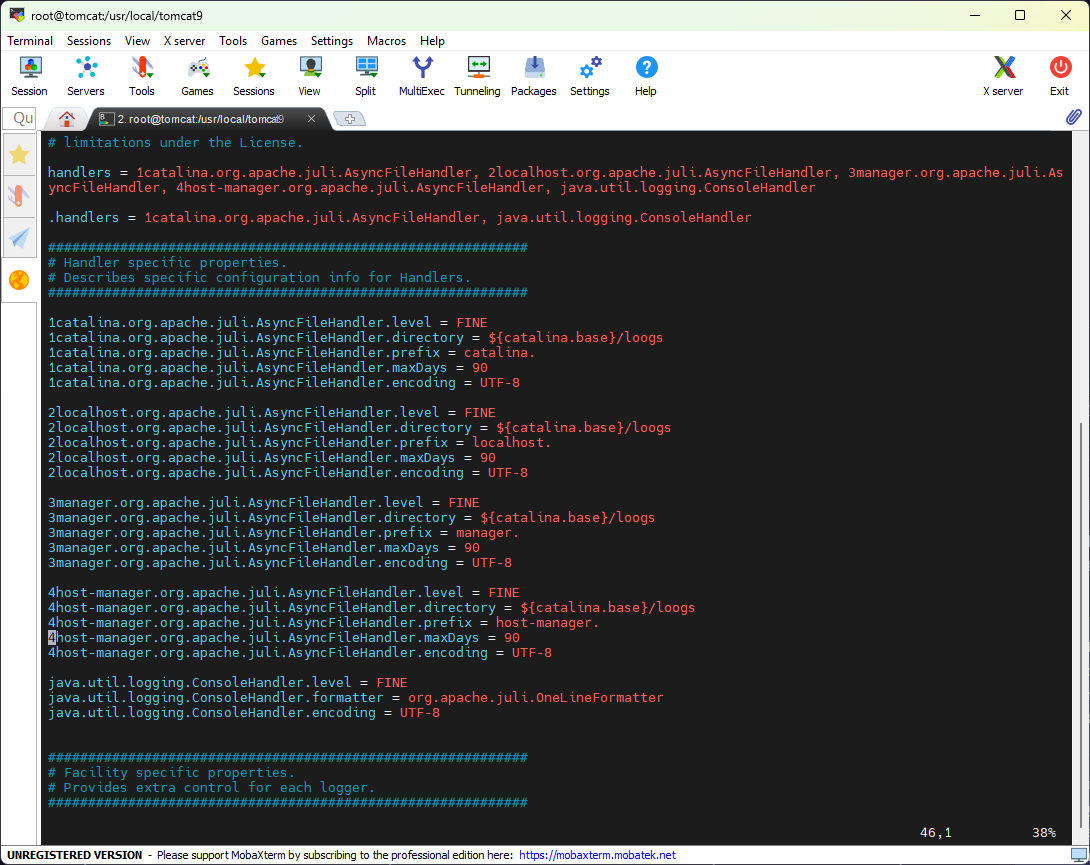
I corrected all four occurrences, changing loogs to logs:
# AFTER (corrected)
1catalina.org.apache.juli.AsyncFileHandler.directory = ${catalina.base}/logs
2localhost.org.apache.juli.AsyncFileHandler.directory = ${catalina.base}/logs
3manager.org.apache.juli.AsyncFileHandler.directory = ${catalina.base}/logs
4host-manager.org.apache.juli.AsyncFileHandler.directory = ${catalina.base}/logs
After saving and exiting (ESC → :wq), I restarted Tomcat so the changes would take effect:
systemctl restart tomcatWhy: Tomcat reads logging.properties at startup. A restart is required for the updated paths to be picked up.
Step 4 - Clean Up and Verify
With Tomcat restarted and writing to the correct path, I removed the misspelled directory:
rm -rf loogsWhy: Leaving the stale directory around could cause confusion later. Removing it also acts as a test, if the typo was truly fixed, Tomcat will not recreate loogs on its own.
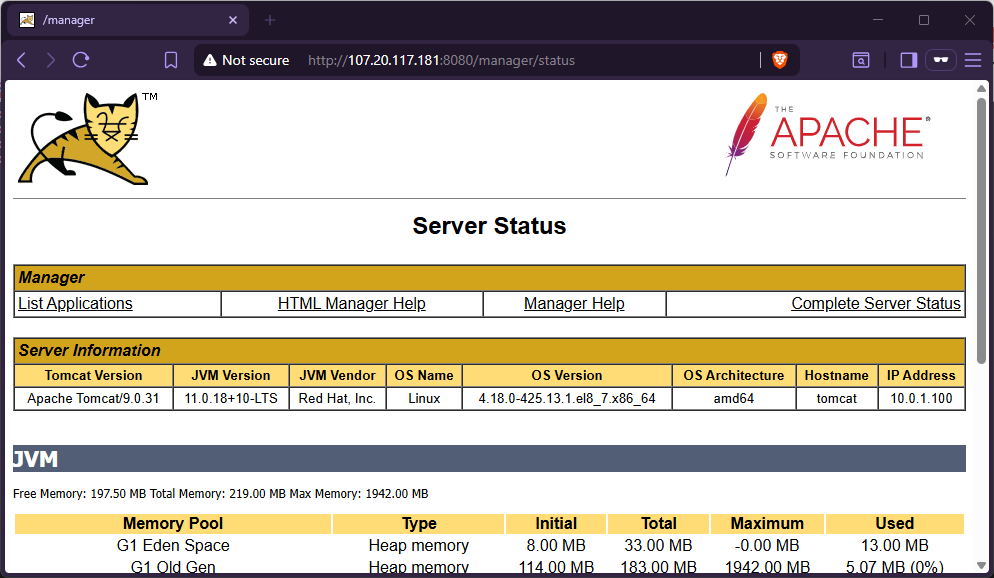
Next, I accessed the Manager App from the Tomcat GUI in the browser and logged in. This generates access log entries, giving me something concrete to verify in the log files.
Back in the terminal, I confirmed the loogs directory did not reappear and that logs/ now contained all expected files:
ll
ll logs/
Example output:
[root@tomcat tomcat9]# ll
total 124
drwxr-x---. 2 tomcat tomcat  4096 Feb 26  2020 bin
drwx------. 3 tomcat tomcat   254 Apr 28 23:16 conf
drwxr-x---. 2 tomcat tomcat   197 Apr 28 23:16 logs       <-- only one logs dir
drwxr-x---. 2 tomcat tomcat    48 Apr 28 23:16 temp
drwxr-x---. 7 tomcat tomcat    81 Feb  5  2020 webapps
drwxr-x---. 3 tomcat tomcat    22 Feb 26  2020 work

[root@tomcat tomcat9]# ll logs
total 48
-rw-r-----. 1 tomcat tomcat  6243 Apr 28 23:16 catalina.2026-04-28.log
-rw-r-----. 1 tomcat tomcat 31145 Apr 28 23:16 catalina.out
-rw-r-----. 1 tomcat tomcat     0 Apr 28 23:16 host-manager.2026-04-28.log
-rw-r-----. 1 tomcat tomcat   407 Apr 28 23:16 localhost.2026-04-28.log
-rw-r-----. 1 tomcat tomcat  1315 Apr 28 23:17 localhost_access_log.2026-04-28.txt
-rw-r-----. 1 tomcat tomcat     0 Apr 28 23:16 manager.2026-04-28.log
All six expected log files are present in logs/, and loogs is gone. The fix is verified.
Key Takeaways
- A single character typo in a config file can silently break an entire logging pipeline. No errors are thrown; logs simply go somewhere unexpected, which is easy to miss without actively checking.
- Always verify your baseline before making changes. Listing the directory structure first made the problem obvious without having to dig through configuration files blindly.
- Restarting the service is required for Java-based applications like Tomcat to pick up changes to
logging.properties. - Remove artifacts of the bug after fixing it. Leaving the misspelled directory would have been confusing for anyone troubleshooting in the future.
- Test by generating real traffic. Logging into the Manager App after the fix ensured the access log was being written, not just that the directory existed.
Files Modified
| File | Change |
|---|---|
/usr/local/tomcat9/conf/logging.properties | Corrected 4 handler directory entries from loogs to logs |